OIDC Back-Channel Logout in Liferay DXP: Closing the Single-Logout Gap
This is LR Tools’ rewrite of a post by David H Nebinger on Liferay.dev explaining a federated-auth gap that closed in Liferay DXP 2026.Q1: OIDC single logout.
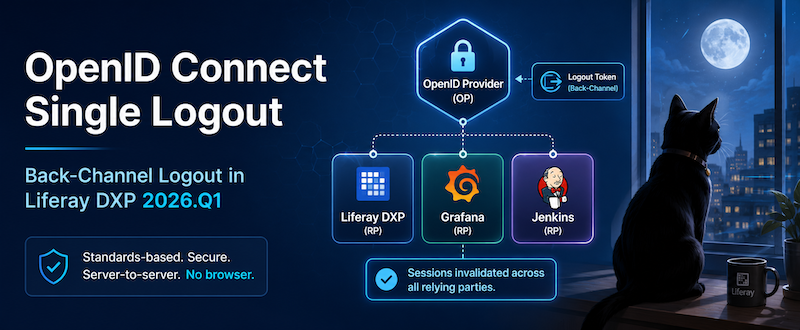
A quick translation from SAML
If you already know SAML terminology, OIDC maps onto it fairly directly: an Identity Provider becomes an OpenID Provider (OP), and a Service Provider becomes a Relying Party (RP). Liferay only ever plays the RP role in an OIDC setup — it consumes identity from an OP, it never issues it. That framing matters for everything below, because Back-Channel Logout is specifically about how an RP finds out that the OP’s session has ended.
“OIDC logout” isn’t one thing
OIDC actually defines several distinct logout mechanisms, not a single standard flow — a redirect-based approach, an iframe-based approach, and a server-to-server approach. As of Liferay DXP 2026.Q1, Liferay implements the server-to-server one, known as Back-Channel Logout. A second mechanism, RP-Initiated Logout — which would let Liferay itself trigger the end of the OP’s central session, not just react to it — is on the roadmap but not yet shipped, and that’s worth remembering since the two solve different halves of the same problem.
Why this matters: sessions that don’t know they’ve ended
Picture a user authenticated once against an OP like Keycloak, and from there signed into several separate applications — Liferay, a Grafana dashboard, a Jenkins instance — each holding its own independent session. If that user’s session at the OP ends (an admin revokes it, a session policy expires it, the user logs out somewhere that only talks to the OP directly) and nothing propagates that event, each RP has no way to know. Liferay, Grafana, and Jenkins all keep treating the user as logged in until each session separately times out on its own schedule — which could be minutes or hours after the OP considers that user gone.
Back-Channel Logout exists specifically to close that gap: it gives the OP a way to actively notify every RP the moment its session ends, rather than leaving each one to eventually notice on its own.
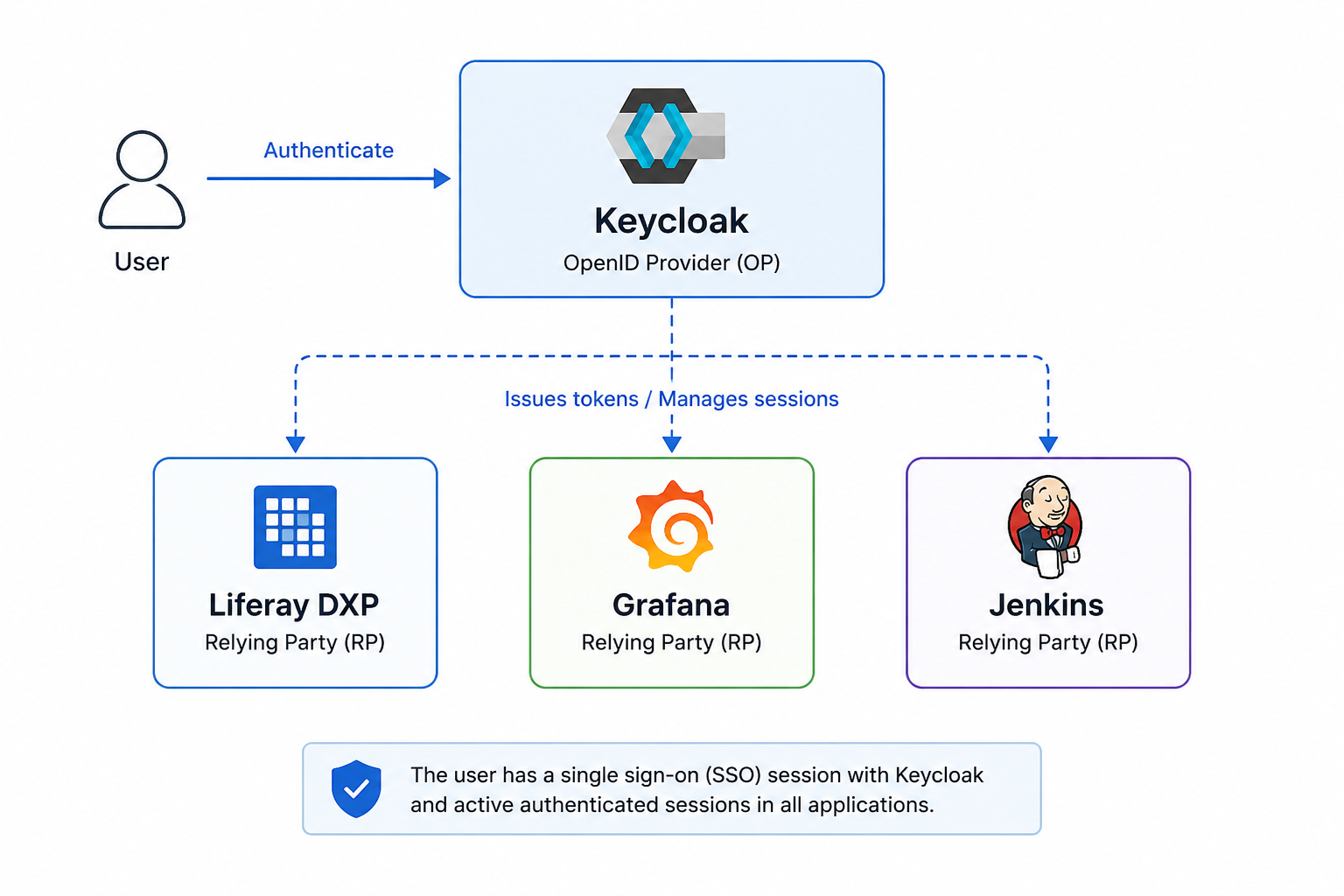
One OP session backing several independent RP sessions — without SLO, none of them know when that OP session ends.
How it actually works
The mechanism is entirely server-to-server — there’s no browser redirect or hidden iframe involved. When the OP’s session ends, it sends a signed Logout Token directly to each registered RP’s back-channel logout endpoint. The user’s browser is never part of this exchange; from its perspective nothing happens until the next time it makes a request, at which point Liferay discovers the session is already gone and forces re-authentication.
Liferay’s implementation follows the OpenID Foundation’s Back-Channel Logout specification, which means it’s interoperable with any standards-compliant OP, not tied to one vendor. The endpoint it exposes is:
/o/open_id_connect/backchannel_logoutWhen a Logout Token arrives there, Liferay validates its signature and, once confirmed, invalidates the matching portal session.
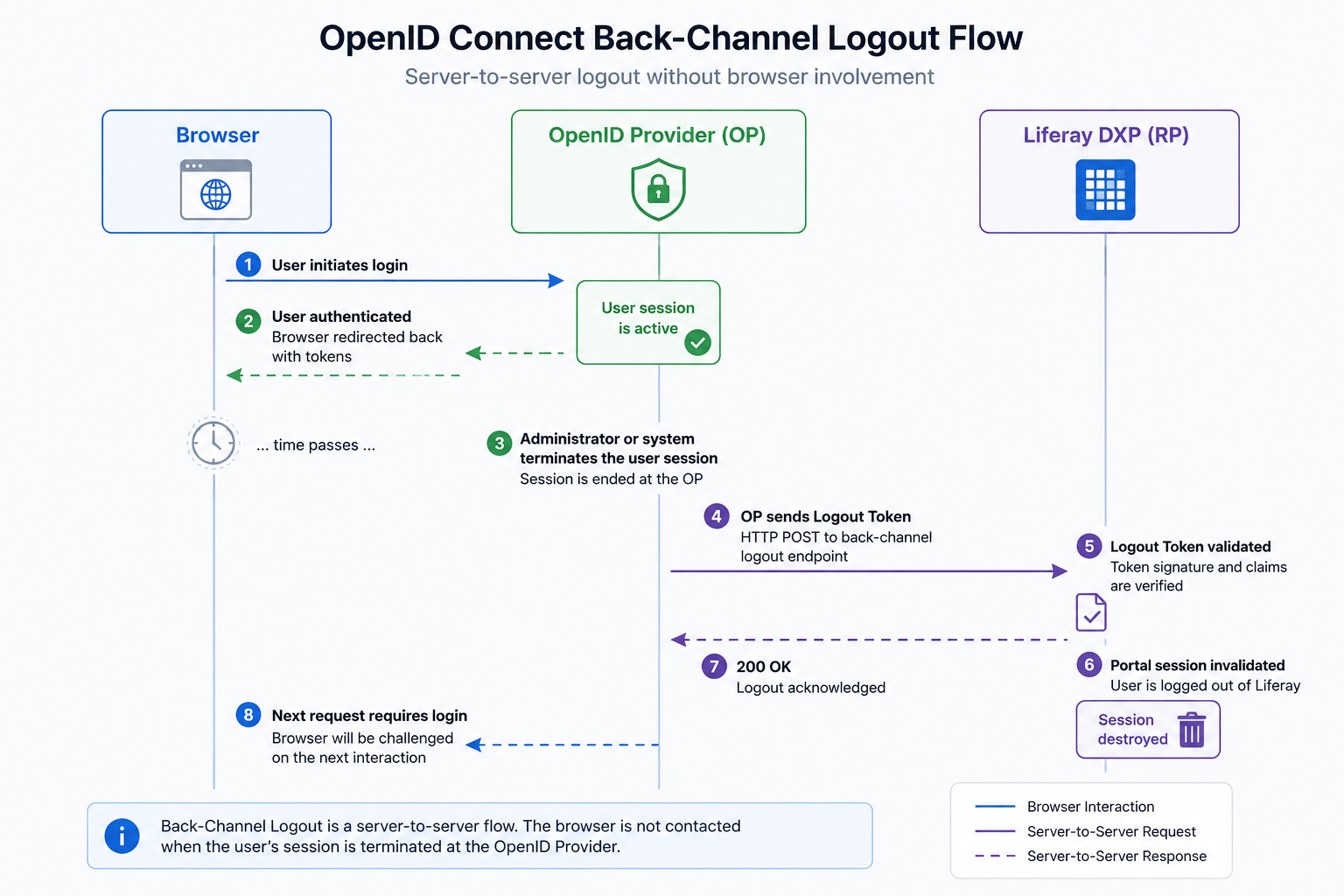
The OP pushes a signed Logout Token straight to each RP over a server-to-server call — the browser is never involved.
Setting it up
The configuration work is minimal on Liferay’s side and mostly happens at the identity provider:
- Configure OpenID Connect in Liferay the way you normally would.
- Configure the OpenID Provider as usual for SSO.
- Register Liferay’s back-channel logout endpoint with the provider —
https://your-liferay-host/o/open_id_connect/backchannel_logout. - Enable Back-Channel Logout support on the provider side, if it isn’t on by default.
The exact steps for step 4 differ by provider — Keycloak, Microsoft Entra ID, and Okta each expose this slightly differently — so check your specific OP’s documentation for where that setting lives.
Why you can trust an unauthenticated-looking endpoint
A logout endpoint that any client can hit sounds risky at first glance, but it isn’t an open “log anyone out” API. Liferay only acts on a Logout Token that’s cryptographically signed by the configured OP; anything unsigned, or signed by anything other than the trusted provider, gets rejected outright.
What to check operationally
A few things matter for this to actually work in production: the OP has to be able to reach Liferay’s endpoint over the network, which means reverse proxies, firewalls, DNS, and TLS termination all need to allow that server-to-server call through. The browser-silent behavior described above is by design, not a bug — don’t expect a visible reaction on the client side until its next request. And in a clustered Liferay deployment, there’s no extra session-replication work needed specifically for this feature beyond what normal OIDC SSO already requires — the only real requirement is that the OP can reach the endpoint and the token validates.
What’s still missing
Back-Channel Logout only covers the OP telling Liferay a session ended — it doesn’t yet cover the reverse direction. If a user clicks “Log Out” inside Liferay, that doesn’t currently propagate back to end their session at the OP or at other RPs sharing it; that’s what RP-Initiated Logout would add once it ships.
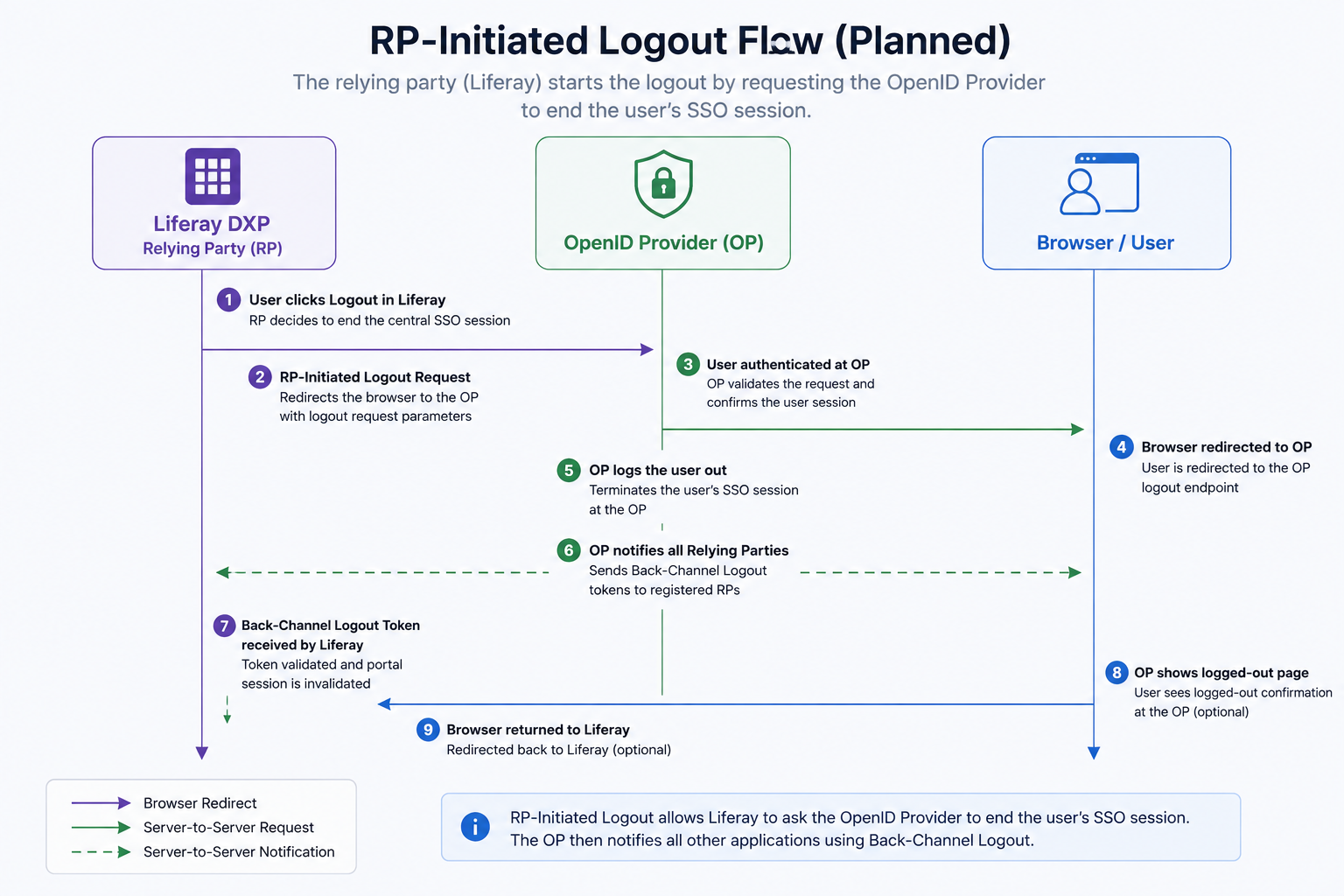
RP-Initiated Logout would let Liferay ask the OP to end the shared session — the other half of full single logout, still on the roadmap.
The two aren’t redundant — one handles the OP notifying RPs, the other would handle an RP asking the OP to end things centrally — and DXP 2026.Q1 only has the first half.
Where this leaves things
“Liferay doesn’t support OIDC single logout” stopped being accurate as of 2026.Q1. Back-Channel Logout closes a real federated-authentication gap — a revoked or expired OP session no longer leaves a Liferay session quietly alive — even with RP-Initiated Logout still pending for the other direction.
This article is LR Tools’ rewrite of the original post by David H Nebinger — read it on Liferay.dev for the author’s own framing, or see Liferay’s OpenID Connect documentation for full configuration details.
This article is adapted from: David H Nebinger, Liferay.dev