When a CVE Isn't a Liferay Vulnerability: Presence vs. Reachability
This is LR Tools’ take on a longer piece by David H Nebinger on Liferay.dev — a good explanation of a support-ticket pattern that comes up constantly: a scanner flags a CVE in a library Liferay bundles, and Liferay’s answer is “not affected,” which can look like a dodge until you understand why that’s often the technically correct answer.
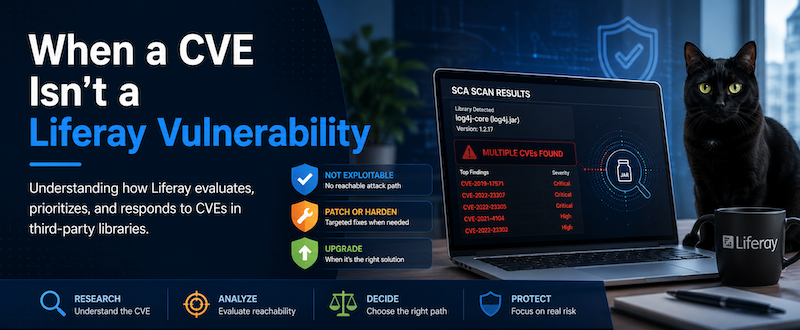
Three different claims, one scanner report
A dependency scanner run against Liferay DXP produces a report that conflates three separate statements into one line item: a library is present at a given version, a CVE exists against that version, and — by implication — the CVE is exploitable through the application. The scanner can establish the first two reliably. It can’t establish the third, because doing that requires knowing whether the vulnerable code path is actually used, whether the feature it lives in is enabled, and whether attacker-controlled input can ever reach it.

Software Composition Analysis tools are built to answer “is this library here,” not “is this feature reachable” — that second question needs someone who understands the application.
That gap between present and exploitable is usually called reachability, and it’s the entire reason a “Critical” scanner finding and an actual security incident aren’t the same thing. A JAR can contain a genuinely dangerous method in a class Liferay never loads, behind a feature Liferay never enables, with no path for outside input to reach it — and upgrading that JAR would change a version number without closing any real exposure.
A concrete example: Spring 6.2.9-era CVEs
Spring’s own security advisories illustrate this well. Several CVEs associated with Spring components around version 6.2.9 each come with a stated precondition for exploitability, not a blanket “any use of this version is vulnerable”:
| CVE | Component | Condition Spring itself documents |
|---|---|---|
| CVE-2025-41242 | Spring MVC static resource handling | Requires a specific resource-handling configuration paired with a servlet container that doesn’t already reject the malicious path sequence — Spring notes default Tomcat/Jetty behavior blocks it. |
| CVE-2025-22228 | Spring Security BCryptPasswordEncoder |
Only affects .matches() calls where the password exceeds 72 characters and the first 72 characters happen to match. |
| CVE-2025-41249 | Spring Security annotation detection | Relevant specifically when @EnableMethodSecurity is active and authorization annotations sit in certain parameterized type hierarchies. |
None of these are hypothetical carve-outs Liferay invented — they’re conditions Spring’s advisories state directly. Whether any of them matter for a given Liferay installation depends on whether that specific configuration and code path is actually in play, which is exactly the kind of application-level detail a scan can’t see.
What Liferay’s security team actually checks
Liferay maintains a dedicated application security team that reviews vulnerabilities in both Liferay’s own code and the third-party software shipped with DXP — often before a customer ever reports one through Support. Their process goes past the CVE headline to the specifics: what triggers the vulnerable behavior, what’s required to exploit it, and how that compares against how Liferay actually uses the affected library. The team uses tooling — including Konvu and other AI-assisted analysis — to keep that review from being a rubber-stamp pass over the CVE description. Liferay publishes the outcomes of that work at support.liferay.com/security-vulnerabilities, including cases where the answer turned out to depend on configuration rather than being a flat yes or no.
The Log4j 1 years, as a case study
Anyone running enterprise scans through the long tail of Log4j 1’s end-of-life remembers this pattern well. Findings kept accumulating even after the project stopped being maintained:
| CVE | Component | Attack surface |
|---|---|---|
| CVE-2019-17571 | SocketServer |
Deserialization through Log4j’s network logging server |
| CVE-2021-4104 | JMSAppender |
JNDI behavior tied to JMS logging configuration |
| CVE-2022-23302 | JMSSink |
JNDI/deserialization through the JMS sink |
| CVE-2022-23305 | JDBCAppender |
SQL injection through the database logging appender |
| CVE-2022-23307 | Chainsaw | Deserialization in the Chainsaw log viewer |
Liferay never ran a Log4j SocketServer, never shipped Chainsaw, and never used the JDBCAppender or the vulnerable JMS appenders — so none of those attack surfaces existed in a standard DXP installation, no matter what the scanner counted.

Still, “not exploitable through us” doesn’t make a Critical finding disappear from someone’s compliance dashboard, and forcing Log4j 1 straight to Log4j 2 across every supported release would have been a disproportionately large change to make purely to satisfy a scanner. Liferay’s actual path was reload4j — a binary-compatible fork of Log4j 1.2.17 built specifically to close off the SocketServer, JMSAppender, JMSSink, JDBCAppender, and Chainsaw issues without changing the logging API underneath every application built against it. Older DXP releases adopted reload4j as that stopgap, while DXP 7.4 made the larger jump to Log4j 2 on its own timeline.
Three outcomes, not one default answer
Once reachability is actually assessed, a finding lands in one of three places:
- Not affected. The vulnerable capability isn’t reachable through Liferay’s usage — no code change needed, though this conclusion should only be reached after genuinely tracing the exploit path, not asserted reflexively.
- Patch or harden without a full upgrade. Sometimes the vulnerability is real and matters, but a major-version upgrade isn’t practical — the upstream project may be abandoned, or the fixed release may carry breaking changes. A targeted patch, or outright removing unused vulnerable functionality, can close the exposure without the blast radius of a full upgrade.
- Upgrade. When a compatible release contains the fix and the upgrade path is clean, upgrading is genuinely the right call.
Why “just upgrade it” isn’t automatically the safer option
It’s tempting to treat upgrading as the risk-free default, but a major dependency bump carries its own risk: API incompatibilities, OSGi package version conflicts, classloading differences, transitive dependency shifts, and runtime regressions that don’t show up until after the change ships. If an upgrade closes a vulnerability that was never actually reachable, it’s trading a real (if smaller) compatibility and regression risk for essentially zero reduction in exploitable exposure. Security engineering that optimizes for “no CVEs listed” over “no exploitable paths” ends up spending real engineering time — development, compatibility testing, release engineering — on changes that don’t reduce risk, time that could otherwise go toward fixing things that do.
The part that’s on you: your own customizations
Liferay’s reachability analysis covers Liferay’s own usage of a library — it says nothing about what your OSGi modules do with that same library. If Liferay ships a dependency with a vulnerable feature it never enables, and your custom module turns that feature on, wires attacker-controlled input into it, or exposes it through a REST endpoint, you’ve built the attack surface Liferay’s own assessment correctly said didn’t exist out of the box. “Liferay isn’t vulnerable” and “your customization isn’t vulnerable” are two different claims, and a security review of a customized Liferay installation has to check both.
One more thing worth saying directly: don’t respond to a scanner finding by manually dropping a newer version of a bundled JAR into a running Liferay installation. Liferay manages its dependency versions, OSGi package relationships, and transitive dependencies as a coordinated whole — replacing one piece underneath it can produce failures that are hard to diagnose and moves the installation outside what Liferay Support has actually tested. Making a CVE disappear from a scan while introducing an unrelated production issue isn’t a net improvement.
A better question to bring to Support
“When will you upgrade this JAR” tends to get a less useful answer than asking directly: is the vulnerable functionality reachable in Liferay’s usage, under what configuration would it become exploitable, and does that assessment extend to custom OSGi modules or only to Liferay out of the box. Those questions get at the thing that actually matters — risk — instead of a version number.
A CVE in a scan report is the start of an investigation, not the verdict. Sometimes that investigation genuinely ends in an upgrade. Just as often, the correct, fully-considered answer is that the platform isn’t exposed — and that conclusion represents more security work having been done, not less.
This article is LR Tools’ rewrite of the original post by David H Nebinger — read it on Liferay.dev for the author’s own framing.
This article is adapted from: David H Nebinger, Liferay.dev