DXP Free Tier Licenses: Why the Product Version Doesn't Have to Match Your Runtime
This is LR Tools’ rewrite of a short investigative post by David H Nebinger on Liferay.dev, prompted by something that looked like a bug in the DXP Free Tier onboarding flow.
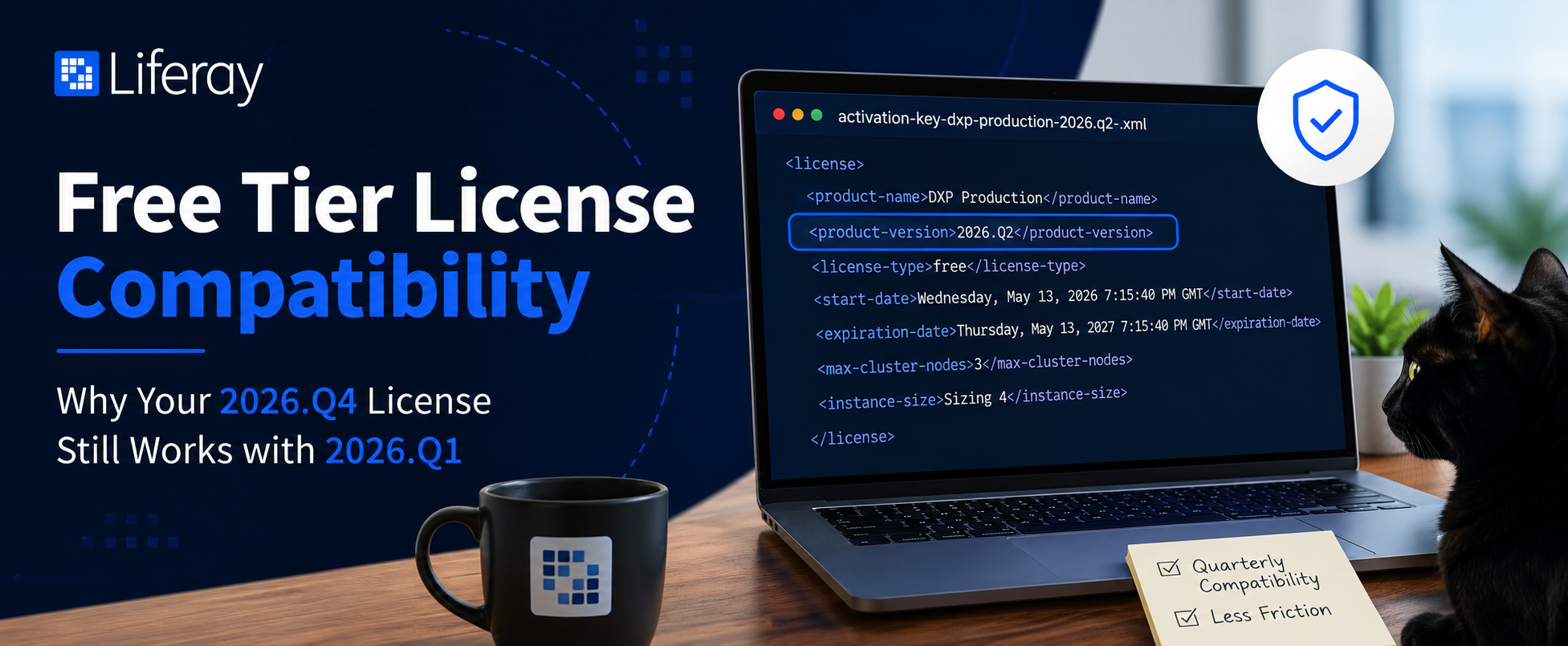
A license for a release that hadn’t shipped yet
While working through the Free Tier onboarding flow, the author generated a free activation key and downloaded a file named activation-key-dxp-production-2026.q2-.xml — at a point when 2026.Q2 hadn’t actually been released. Opening it showed a standard license document: account and owner info, product name (“DXP Production”), license type “free”, license version “6”, a start date and an expiration date exactly a year later, a max-cluster-nodes value of 3, a domains list including localhost, an instance size of “Sizing 4” — and, notably, <product-version>2026.Q2</product-version>.
At first glance that reads like the license generator issued a key for a version that didn’t exist yet.
What was actually going on
The explanation, after checking with Liferay’s licensing team: the license was generated while that team was already internally preparing the 2026.Q2 release, so the generator tooling had already rolled its internal reference forward to the upcoming quarter. The filename and the product-version field simply reflect where Liferay’s release pipeline was internally at generation time — not a hard compatibility lock tying the license to that exact quarterly release.
The actual finding: product-version isn’t a strict match requirement
That resolves the “why does this say 2026.Q2” question, but it leads to a more useful discovery: the license stamped 2026.Q2 worked correctly against both 2026.Q1.6 and the not-yet-released 2026.Q1.7. In other words, the quarterly version embedded in a Free Tier license isn’t an exact-match requirement against your installed runtime — compatibility spans multiple quarterly releases within the same generation.
Why this matters in practice
Without knowing this, it’s easy to look at a license file, see a version string that doesn’t match what’s actually installed, and conclude either that the wrong file was downloaded or that a new, version-matched key needs to be generated. Neither is necessary. As a concrete example: a license stamped <product-version>2026.Q4</product-version> should still work fine against an environment still running 2026.Q1 — there’s no need to file a support request asking for a version-matched replacement.
Why the license works this way on purpose
Strict quarterly enforcement would mean every quarterly release effectively needing its own freshly generated license, which would make normal upgrade cycles between quarterly releases needlessly painful. Instead, the license model is built to tolerate staggered upgrade schedules and overlapping release cycles without forcing a fresh activation key every time — a real convenience for local evaluations, demos, and small test or proof-of-concept environments where re-licensing on every quarterly bump would be pure friction.
The takeaway
If you’re on Liferay’s DXP Free Tier and the product-version value in your license file looks newer than the DXP version you actually have installed, that’s expected behavior, not a version mismatch to chase down. It’s a byproduct of how the license generator tracks Liferay’s internal release pipeline, not a gate on what your license will actually run against.
This article is LR Tools’ rewrite of the original post by David H Nebinger — read it on Liferay.dev for the author’s own framing.
This article is adapted from: David H Nebinger, Liferay.dev