
Vert.x Integration
Description
Liferay DXP / 7 integration with Vert.x (http://vertx.io/)
. Eclipse Vert.x is a tool-kit for building reactive applications on
the JVM. Eclipse Vert.x is event driven, non-blocking and is natively
polyglot. Vert.x is incredibly flexible - whether it's simple network
utilities, sophisticated modern web applications, HTTP/REST
microservices, high volume event processing or a full blown back-end
message-bus application, Vert.x is a great fit. Vert.x is used by many
different companies from real-time gaming to banking and everything in
between.
The chat demo included can run on defaults comfortably. The other applications built on top this integration may require different configuration. The port and bus names are configured through Product Menu → Control Panel → Configuration → System Settings. Here, click on Other, find the VertxConf & ChatConf and ctrl + click to open them. Configure VertxConf & ChatConf by adding the configuration from bottom right add button. It may happen that you will have to add up this once if the default is not working.
You may have to enable `CorsFilter` filter for other ports. The filter is configured in tomcat / tcserver at conf/web.xml.
<filter>
<filter-name>CorsFilter</filter-name>
<filter-class>org.apache.catalina.filters.CorsFilter</filter-class>
</filter>
<filter-mapping>
<filter-name>CorsFilter</filter-name>
<url-pattern>/eb/*</url-pattern>
<url-pattern>/msgs/*</url-pattern>
</filter-mapping>
This will enable the CORS filter for above URLs. The url-pattern defined above should be same as configured in Liferay DXP / 7 configuration UI. The servers other than tomcat may have different setup to enable CORS filter.
The demo chat portlet is available under “Collaboration” apps category. The chat demo can be tested by log-in to system with different browser as different users. The site members are auto joined on page visit. As it is for integration demo, the portlet is site scoped with minimal features.
Please contact gaurav.joshi@email.com for any queries and issues.
The chat demo included can run on defaults comfortably. The other applications built on top this integration may require different configuration. The port and bus names are configured through Product Menu → Control Panel → Configuration → System Settings. Here, click on Other, find the VertxConf & ChatConf and ctrl + click to open them. Configure VertxConf & ChatConf by adding the configuration from bottom right add button. It may happen that you will have to add up this once if the default is not working.
You may have to enable `CorsFilter` filter for other ports. The filter is configured in tomcat / tcserver at conf/web.xml.
<filter>
<filter-name>CorsFilter</filter-name>
<filter-class>org.apache.catalina.filters.CorsFilter</filter-class>
</filter>
<filter-mapping>
<filter-name>CorsFilter</filter-name>
<url-pattern>/eb/*</url-pattern>
<url-pattern>/msgs/*</url-pattern>
</filter-mapping>
This will enable the CORS filter for above URLs. The url-pattern defined above should be same as configured in Liferay DXP / 7 configuration UI. The servers other than tomcat may have different setup to enable CORS filter.
The demo chat portlet is available under “Collaboration” apps category. The chat demo can be tested by log-in to system with different browser as different users. The site members are auto joined on page visit. As it is for integration demo, the portlet is site scoped with minimal features.
Please contact gaurav.joshi@email.com for any queries and issues.
More in Collaboration & Knowledge Sharing

Addiction Twitter Portlet
A simple and easy to use portlet to show your tweets with 3 original Addiction's graphics layouts. Main features: - Easy 3-step configuration. You'll be ready to use it in only 5 minutes; - 2 color sc

Announcer
The Announcer allows an administrator to configure a set of articles that will be presented to a user on visit in a modal panel. The Announcer has some intelligence built into it as to when it should
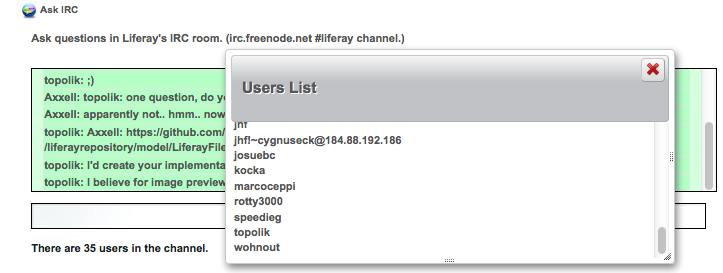
Ask IRC
Connects to the Liferay IRC room (irc.freenode.net #liferay;) so to ask Liferay questions and get help.

BBS
OMB BBS (Bulletin Boards System) Plugin is the plugin allowing users to read and write news or messages for their sites, and to leave comments to them. This plugin consists of three portlets: BBS Admi