
OpenScape Web Collaboration
Description
A better way to meet and share from your Liferay Portal
Business is about relationships and relationships start with a conversation. This OpenScape app helps you start those conversations and keep them going - with real-time document sharing capabilities right from your Liferay Portal team collaboration space.
Here’s how.
From your Liferay Portal, you select contacts, friends, and team members that need to participate in a web collaboration session. Then with just one click, you launch the web collaboration session.
All participants can view and actively work on the shared document launched from the Liferay document storage.
Why OpenScape? Two good reasons.
OpenScape’s Web Collaboration for Liferay Portal app helps you reduce over-spending on business travel and costly web conferencing services.
Plus, at a moment’s notice, your employees can easily and safely share more ideas and information with other people, including your partners and customers.
The result – Improved team productivity and collaboration company-wide. Plus more …
• Eliminate costly conferencing service fees
• Minimize the need to travel
• Improve your competitive advantage
It’s simply a better way to meet.
More information about OpenScape Web Collaboration can be found here: http://www.unify.com/us/products-services/unified-communications/applications/web-collaboration.aspx
This OpenScape app requires the Liferay Social Networking app or Liferay Social Office.
This OpenScape app requires the Liferay Social Networking app or Liferay Social Office.
After downloading the app, please register at the following website: http://www.unify.com/us/products-services/unified-communications/applications/web-collaboration/download-trial-liferay.aspx
Please ensure that your network and firewall configuration allows access to the OpenScape Web Collaboration server from your Liferay system. If you are using the Cloud solution https access needs to be granted to port 5100 on the server outlook.fastviewer.com . The App comes with a preconfigured unregistered Demo account which restricts the Web Collaboration session to 5 minutes. Feel free to register for a full 30 days trial account using the provided link in the configuration dialog. The configuration dialog will be available from the installed App.
If you have questions or if you need support so please get in touch with our customer-service.pdb@unify.com
Unify is a joint venture of the Gores Group and Siemens AG.
Business is about relationships and relationships start with a conversation. This OpenScape app helps you start those conversations and keep them going - with real-time document sharing capabilities right from your Liferay Portal team collaboration space.
Here’s how.
From your Liferay Portal, you select contacts, friends, and team members that need to participate in a web collaboration session. Then with just one click, you launch the web collaboration session.
All participants can view and actively work on the shared document launched from the Liferay document storage.
Why OpenScape? Two good reasons.
OpenScape’s Web Collaboration for Liferay Portal app helps you reduce over-spending on business travel and costly web conferencing services.
Plus, at a moment’s notice, your employees can easily and safely share more ideas and information with other people, including your partners and customers.
The result – Improved team productivity and collaboration company-wide. Plus more …
• Eliminate costly conferencing service fees
• Minimize the need to travel
• Improve your competitive advantage
It’s simply a better way to meet.
More information about OpenScape Web Collaboration can be found here: http://www.unify.com/us/products-services/unified-communications/applications/web-collaboration.aspx
This OpenScape app requires the Liferay Social Networking app or Liferay Social Office.
This OpenScape app requires the Liferay Social Networking app or Liferay Social Office.
After downloading the app, please register at the following website: http://www.unify.com/us/products-services/unified-communications/applications/web-collaboration/download-trial-liferay.aspx
Please ensure that your network and firewall configuration allows access to the OpenScape Web Collaboration server from your Liferay system. If you are using the Cloud solution https access needs to be granted to port 5100 on the server outlook.fastviewer.com . The App comes with a preconfigured unregistered Demo account which restricts the Web Collaboration session to 5 minutes. Feel free to register for a full 30 days trial account using the provided link in the configuration dialog. The configuration dialog will be available from the installed App.
If you have questions or if you need support so please get in touch with our customer-service.pdb@unify.com
Unify is a joint venture of the Gores Group and Siemens AG.
More in Collaboration & Knowledge Sharing

Addiction Twitter Portlet
A simple and easy to use portlet to show your tweets with 3 original Addiction's graphics layouts. Main features: - Easy 3-step configuration. You'll be ready to use it in only 5 minutes; - 2 color sc

Announcer
The Announcer allows an administrator to configure a set of articles that will be presented to a user on visit in a modal panel. The Announcer has some intelligence built into it as to when it should
Ask IRC
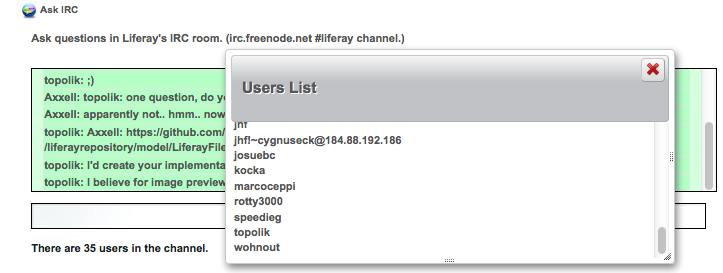
Connects to the Liferay IRC room (irc.freenode.net #liferay;) so to ask Liferay questions and get help.

BBS
OMB BBS (Bulletin Boards System) Plugin is the plugin allowing users to read and write news or messages for their sites, and to leave comments to them. This plugin consists of three portlets: BBS Admi