
LinkedIn SignIn
Description
User will be directed to Linkedin and asked for approval.
Redirected back to Liferay this plugin will use some of the Linkedin profile data to create a Liferay user using Linkedin's primary email address otherwise an autogenerated email address will be used.
User remains logged in according to Liferay's Password policy.
Subsequent visits, a user wil be able to login with Linkedin and existing Liferay user profile.
Key features:
- Allows users to login via Linkedin
- New user created in Liferay with information retrieved from Linkedin
- Optionally User is presented a form to modify gathered information before creating user
- Optionally Liferay Organizations can be created and associated to the user based on Linkedin Company
- Optionally allows autologin if user is logged on Linkedin.
- Login via Linkedin again without approval
Profile information gathered from Linkedin: Name (First, Maiden, Last), Date of birth, Industry, Company, Position, Profile image, Email address
Configuration: Administrator need to enable Linkedin login (Control Panel -> Portal Settings -> Authentication -> Linkedin)
- Specify Linkedin application Key and Secret obtainable at Linkedin.
- Show profile form for new user
- Enable auto login by Linkedin
- Choose an Organization and User association scheme
In case of logout from liferay, application does not logout from Linkedin, so if autologin is enabled by the Administrator, you will be autologged-in next time visiting the Liferay login form.
Due to PACL limitation, importing user image is not supported in current version.
This plugin uses linkedin javascript api. So it is needed to mention correct "JavaScript API domain" while creating/configuring application in linkedin.
Technical brief information: It is a Hook implememntation. Hooked existing navigation.jsp and authentication.jsp. There is also auto-login hook added.
Currently it supports the English and Dutch language. Please provide us your own translations. These will be added to the next release.
More in Collaboration & Knowledge Sharing

Addiction Twitter Portlet
A simple and easy to use portlet to show your tweets with 3 original Addiction's graphics layouts. Main features: - Easy 3-step configuration. You'll be ready to use it in only 5 minutes; - 2 color sc

Announcer
The Announcer allows an administrator to configure a set of articles that will be presented to a user on visit in a modal panel. The Announcer has some intelligence built into it as to when it should
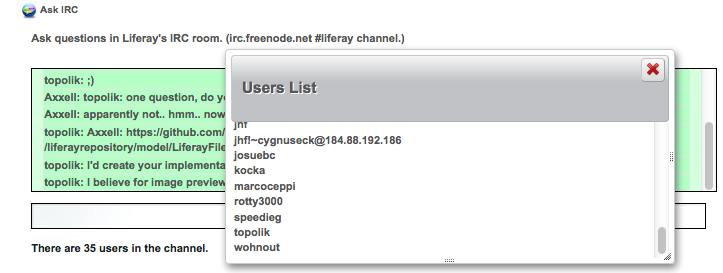
Ask IRC
Connects to the Liferay IRC room (irc.freenode.net #liferay;) so to ask Liferay questions and get help.

BBS
OMB BBS (Bulletin Boards System) Plugin is the plugin allowing users to read and write news or messages for their sites, and to leave comments to them. This plugin consists of three portlets: BBS Admi
More by Componence Services B.V.

RSS Merger Sorter
Out of box RSS portlet provides options to display rss feeds from different sources. However they are displayed grouped manner per feed-source. RSS Merger Sorter application hooks out-of-box rss portl

Web Content Locator
Web Content Locator helps you to locate pages where your Web Content is published with a Web Content Display Portlet. This app provides an additional tab in the Web Content editing pane displaying the