No More Guesswork: A Gradle Plugin That Deploys Liferay OSGi Modules in the Right Order
This is LR Tools’ rewrite of a post by Ankit Hadiyal on Liferay.dev introducing a small Gradle plugin that fixes a genuinely common Liferay workspace annoyance.
A failure mode every Liferay developer runs into
Once a Liferay workspace has more than a handful of custom modules, this becomes a familiar scene: you deploy everything together, most modules come up fine, and a few fail — with logs showing a bundle that stopped right after it started. The cause is almost always the same one: a module tries to start before whatever it depends on is actually ready. A service module deployed at the same moment as the API module it depends on may try to start first, discover the API module isn’t active yet, and simply fail.
The usual workaround is to stop, manually work out the correct order, and deploy modules one at a time — which works, but it’s slow, and it’s a step you end up repeating on nearly every build as the workspace grows.
A plugin that works out the order for you
io.github.ankitt-29.deploy-ordered is a Gradle plugin built to take that manual step off your plate entirely. It looks at your whole Liferay workspace, figures out which module depends on which, and deploys everything in the correct order on its own — and it doesn’t stop at “deployed,” either. It connects to Liferay’s Gogo shell and confirms each module has actually started successfully before it moves on to the next batch, so there’s no need to guess whether a module is ready or restart things manually when one fails silently.
How it works
In plain terms, here’s what happens when it runs:
- It scans your workspace and finds every OSGi module present.
- It builds a dependency map, working out exactly which module needs which other module ready first.
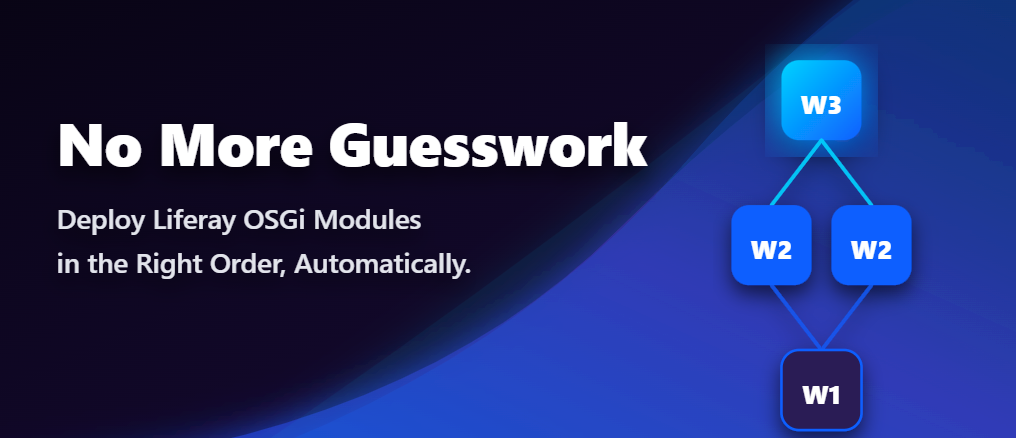
- It groups modules into waves — anything with no dependencies lands in Wave 1, anything depending only on Wave 1 modules lands in Wave 2, and so on until every module has a place.
- It deploys one wave at a time: drop that wave’s modules into the Liferay deploy folder, wait, then check the Gogo shell to confirm each has reached the
Activestate (orResolved, for fragment bundles). Only once a wave is confirmed healthy does it move on to the next one.
By the time any given module actually starts, everything it depends on is already active.
Two things to set up first
Enable the Gogo shell, since the plugin relies on it to check bundle status and it’s off by default. In (or creating) portal-ext.properties:
module.framework.properties.osgi.console=localhost:11311Restart Liferay after saving this, and the Gogo shell is ready.
Point the plugin at your Liferay home, so it knows where the deploy folder actually lives. In gradle.properties or gradle-local.properties:
liferay.workspace.home.dir=C:/liferay/liferay-dxp(using your actual Liferay home path, not the example above).
Installing and running it
Add the plugin to the root build.gradle of your workspace:
plugins {
    id 'io.github.ankitt-29.deploy-ordered' version '1.0.2'
}
There’s nothing else to configure. Deploying your modules correctly from then on is one command:
./gradlew deployOrderedThat single command scans, groups, deploys, and verifies every module, one wave at a time, until the whole workspace is running.
Where it stands
This is the plugin’s first release (1.0.2), built specifically to save Liferay developers the manual-ordering time and frustration described above. It’s open for the community to use and improve — if you try it and run into an issue or have a feature idea, the author is looking for exactly that kind of feedback via the project’s GitHub repository and its Gradle Plugin Portal listing.
This article is LR Tools’ rewrite of the original post by Ankit Hadiyal — read it on Liferay.dev for the author’s own framing, or go straight to the plugin: GitHub · Gradle Plugin Portal.
Este artículo está adaptado de: Ankit Hadiyal, Liferay.dev