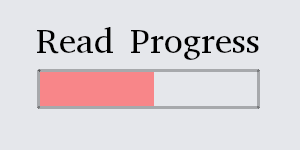
Read Progress Indicator
Beschreibung
One shows a linear bar overlay over the content, the other one includes a Table of Content, generated dynamically from anchored H1, H2 and H3 found within a text, highlights the current headline and allows navigation by clicking the headline.
Table of Content-
TOC picks up any H1-H3 header that has an id, contained in the drop zone of this fragment. IDs serve as navigation target.
-
"Table of Content" Headline as well as "no content found" message can be configured in the page editor
-
Navigate by clicking the TOC, or see an indicator in front of the current TOC heading about the currently displayed chapter, updating on scroll.
-
Due to HTML limitations: Does not work within an overlay:hidden element, e.g. a Grid.
-
Add the reading-progress fragment to a page. In the page editor, you'll see the (empty) progress bar and a drop zone
-
The progress bar initially contains a notice to the page author: Due to the way HTML works, it can't work within any element that uses "overflow:hidden" - e.g. within a Grid. This message is only shown on the page editor, never to the actual user.
-
You can change the author's notice, e.g. map it to "reading time" of a blog article - as soon as it's changed, it will show on an actual page.
-
Any content that you add to the drop zone is being monitored by the progress indicator, which will grow until the scroll position includes the bottom of the content.
-
The progress indicator will be sticky instead of scrolling out on the top of the page, but at the end of the article, it will scroll out.
-
You can configure (1) if it shows initially. Use this depending on the length of your typical content and screen size: Javascript will make it appear/disappear when it's (un)necessary, but it'll flicker in either direction - choose your poison.
-
You can configure (2) the color of the indicator - e.g. pick from your stylebook
Weitere in Experience Management

1-1-1 Columns Layout CE
Simple three row template with 100% of width. Usefull to use in conjuntion with page templates (Prototypes). This layout will appear in your Page Layouts once installed. Check or request for more temp

14 Additional Basic Layouts Pack
Get 14 additional basic layouts to complete your portal in no time! You get: 1-3-1 Basic columns 1-3-2 Basic columns 1-3 Basic columns 1-4-1 Basic columns 2-3-1 Basic columns 3-1 Basic columns 4-1 Bas

2 Columns (10-90) Page Layout
Layout Templates allow you to choose how portlets will be arranged on a page. They are simple table or CSS-based containers into which portlets can be dropped and sit within the body of the page. Life
2 Columns (20-80) Page Layout
Layout Templates allow you to choose how portlets will be arranged on a page. They are simple table or CSS-based containers into which portlets can be dropped and sit within the body of the page. Life
Weitere von Olaf Kock

Control Panel Documentation
Documentation right where it counts: This plugin links additional documentation directly from the Control Panel section that it's relevant to. Updated for 7.4.Note

Custom Navigation
Liferay's out-of-the-box Navigation only displays the pages (either public or private) of a single site. In some circumstances you want to include other sites in your main navigation. An simplistic wa

Extended Fragment Search
Have you ever worked on a system where somebody else has organized the fragments in a way that's not intuitive for you ? Or maybe you organized them, and a year ago this organization made sense, but n

Healthchecks
Run an automated checklist for your system’s health. This checklist helps detect unusual or unsupported setups, as well as systems restored in a different environment. Notable features include: New in