
Passwordless Login
Beschreibung
Passwordless Login (Magic Link) is a secure authentication application developed by Youngsoft India for Liferay DXP. The application enables users to authenticate without entering traditional passwords by using secure one-time magic links delivered via email. The solution enhances user experience, simplifies authentication workflows, and reduces password management overhead for organizations. By implementing time-based secure login tokens and email verification mechanisms, the application provides a modern and secure passwordless authentication approach for enterprise portals. Built using Liferay’s standard OSGi modular architecture, the application integrates seamlessly with Liferay DXP and supports scalable deployment across enterprise environments. The Passwordless Login solution helps organizations improve security, streamline user access, and deliver a faster and more convenient login experience for portal users. The application is specifically designed for Liferay Marketplace distribution and follows standard Liferay development and deployment best practices recommended for enterprise-grade applications
Weitere in Identity Management & Governance

Device Based Security
Device based security is a reusable component for Liferay. This component will secure user login as per the devices. Once user will login to portal from some particular device. Portal will store user’

Dockbar Integration
The application adds a new custom permission called VIEW_DOCKBAR inside the "General Permissions" section of the role configuration (except for Guest role). With this new custom permission,

Email MFA for Liferay CE
This module provides Multifactor Authentication (MFA) for Liferay Community Edition by introducing secure OTP (One-Time Password) authentication. It adds an extra layer of security to your Liferay env

HSTS (RFC6797) HTTP Strict Transport Security
Note: This app is for Liferay 6.x and I won't port it to 7.x. By now, I feel that unconditional HTTPS is the standard and it's not worth worrying about conditionally allowing unencrypted http . David
Weitere von Youngsoft, Inc.

2 Columns (10-90) Page Layout
Layout Templates allow you to choose how portlets will be arranged on a page. They are simple table or CSS-based containers into which portlets can be dropped and sit within the body of the page. Life
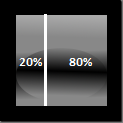
2 Columns (20-80) Page Layout
Layout Templates allow you to choose how portlets will be arranged on a page. They are simple table or CSS-based containers into which portlets can be dropped and sit within the body of the page. Life

2 Columns (80-20) Page Layout
Layout Templates allow you to choose how portlets will be arranged on a page. They are simple table or CSS-based containers into which portlets can be dropped and sit within the body of the page. Life

2 Columns (90-10) Page Layout
Layout Templates allow you to choose how portlets will be arranged on a page. They are simple table or CSS-based containers into which portlets can be dropped and sit within the body of the page. Life